
Set code syntax for your variables
Generate platform-specific code syntax for Web, Android and iOS. Select the collections and variable types to process, review every generated value and apply the result directly in Figma.
Manage syntax across platforms
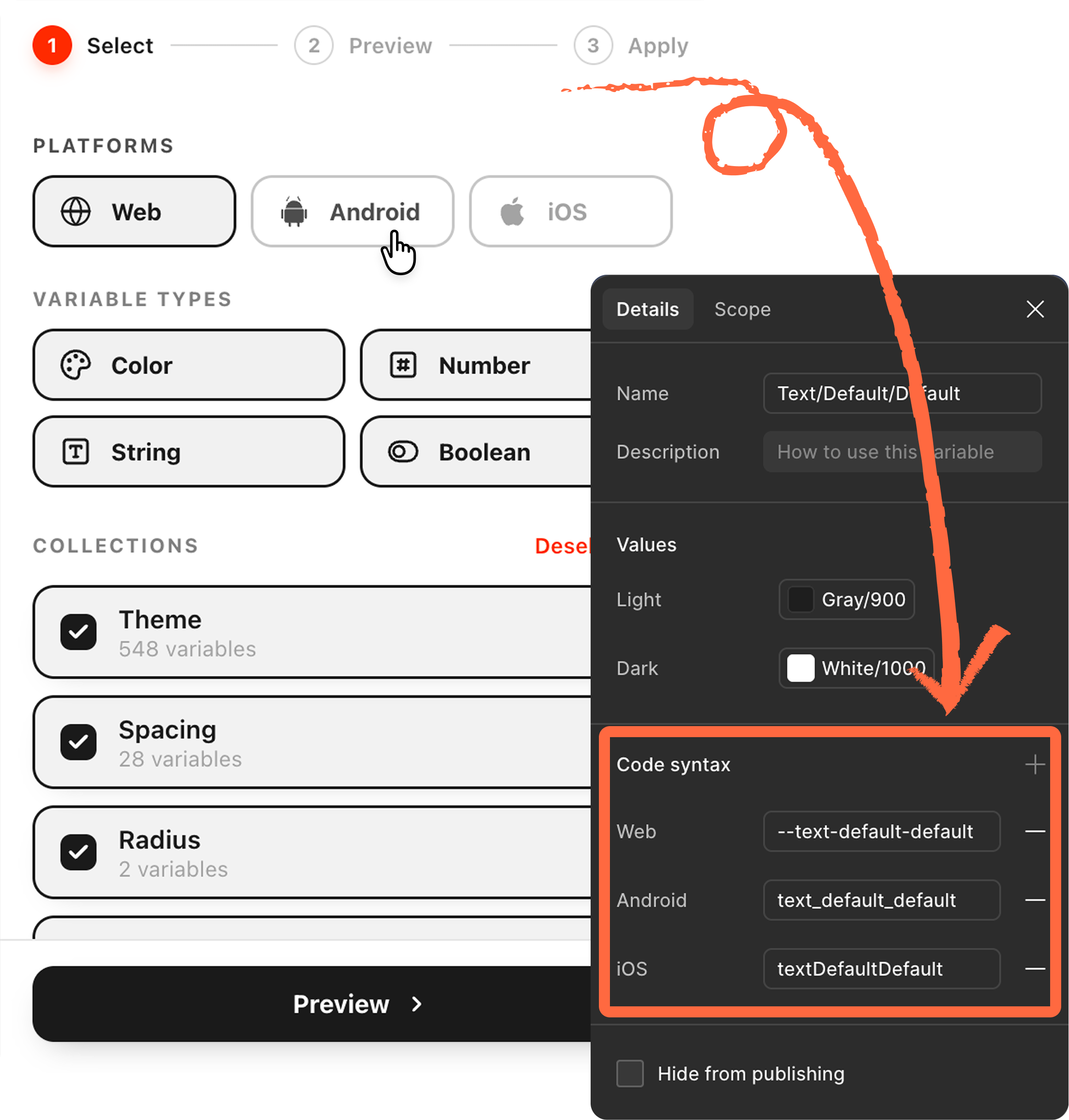
The same Figma variable uses different naming conventions across Web, Android and iOS. Set Code Syntax generates the appropriate syntax for each platform while letting you choose the collections and variable types to process.
- 01Multiple collections
- 02Platform-specific conventions
- 03Repeated syntax updates
- 04Consistent implementation handoff
Three deliberate steps
Choose the scope of the update, review the generated code syntax and apply the result in one guided workflow.
- 01 Step
Configure
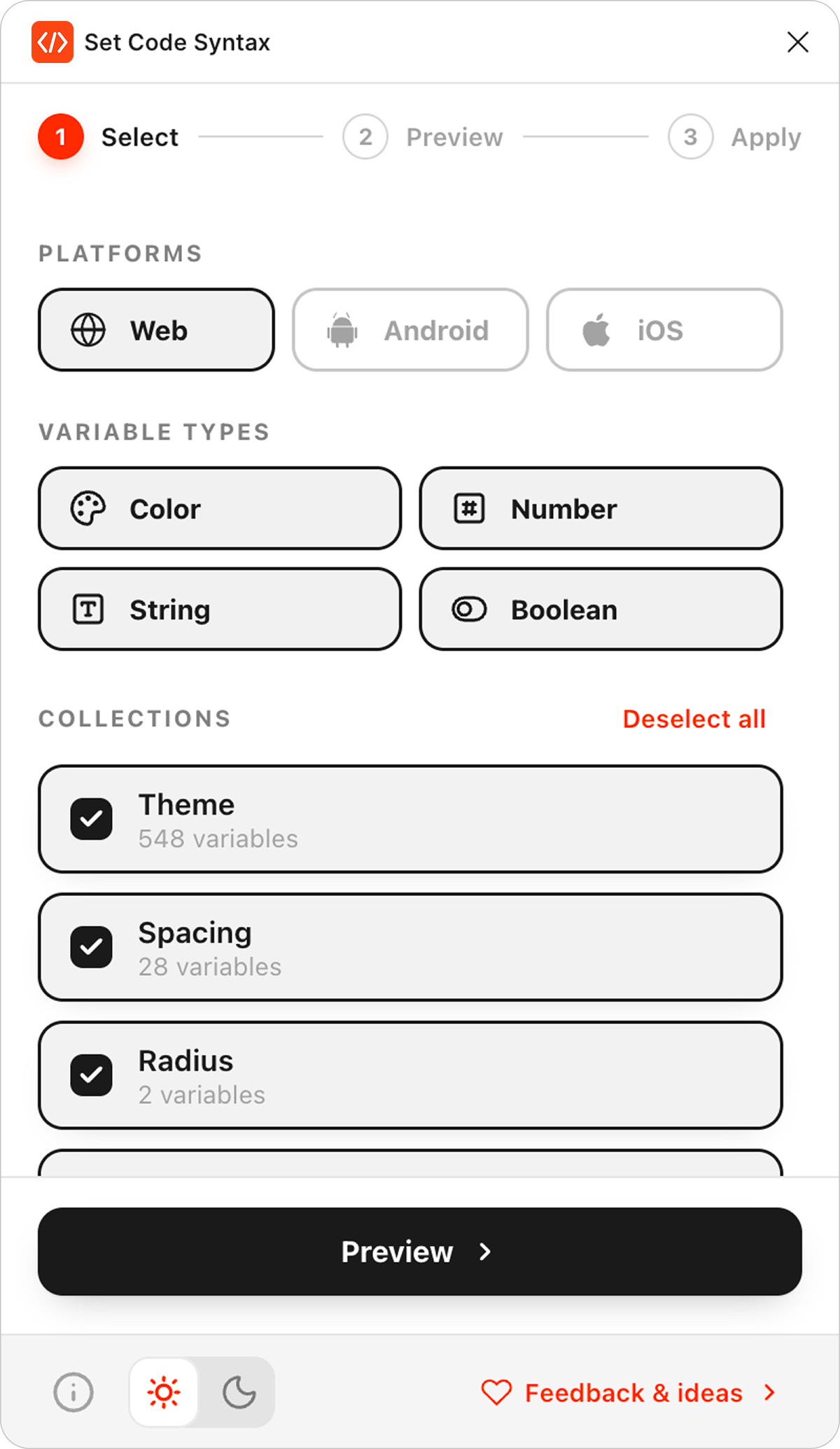
Choose Web, Android, iOS or any combination, select the variable types to process and choose the collections to update.
- 02 Step
Preview
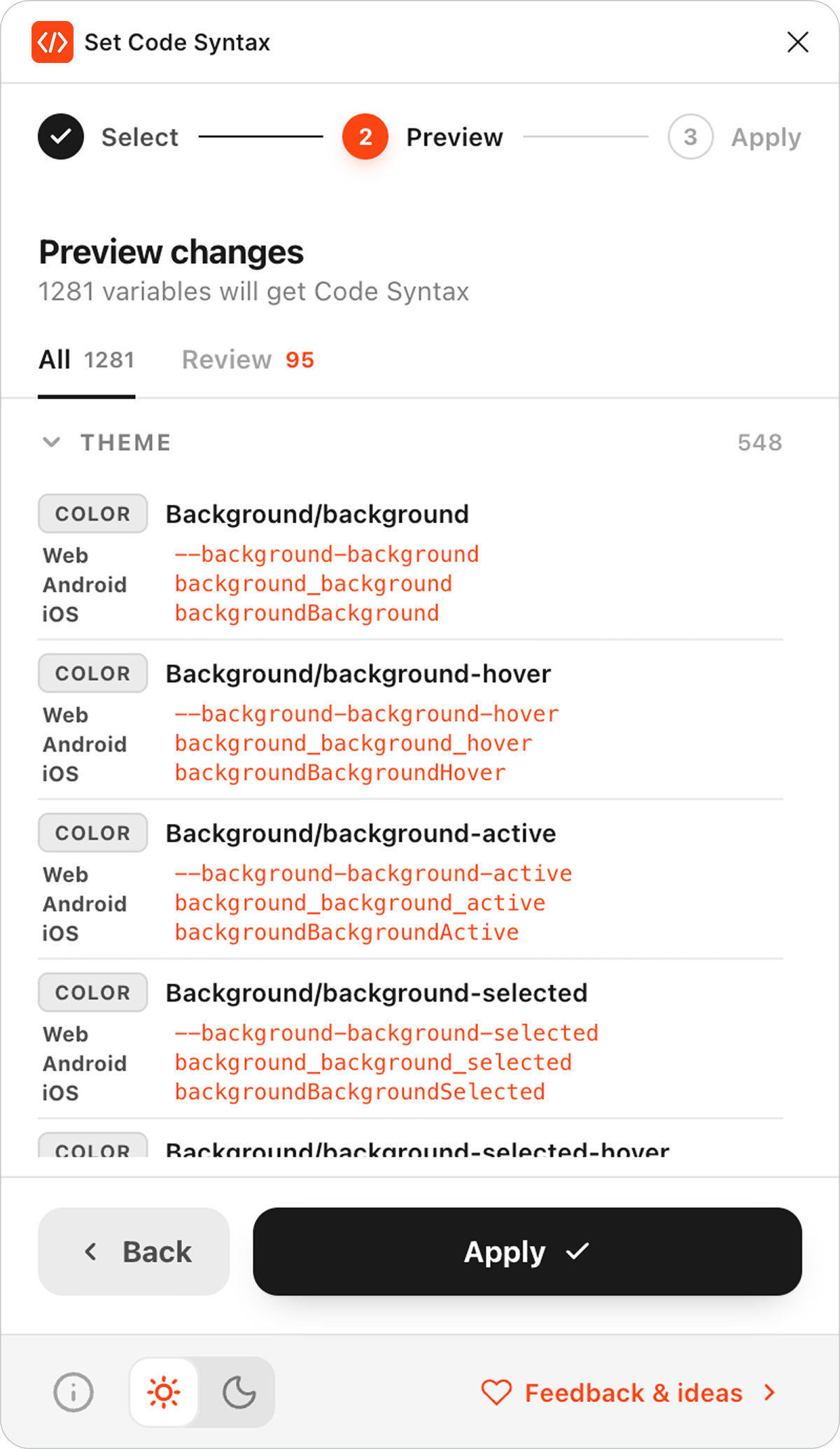
Review the proposed Code Syntax before applying any changes.
Variables are grouped by collection, so you can confirm what will be created or updated.
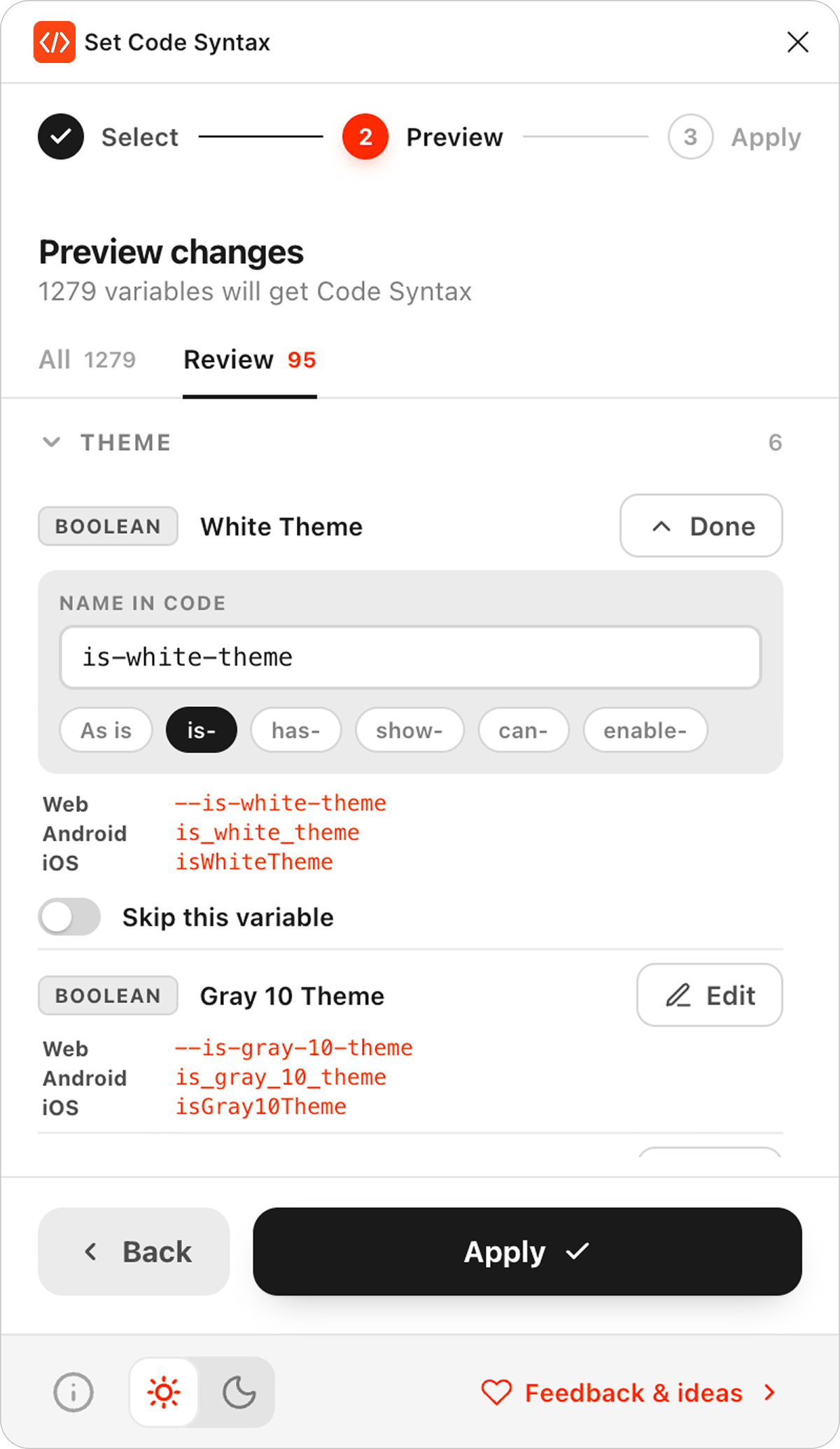
For Boolean variables, you can:
- edit the name used to generate Code Syntax;
- apply a preset prefix:is-has-show-can-enable-
- enter a custom name;
- skip an individual variable.
Boolean variables without a conventional prefix appear in the dedicated Review tab for checking before they are applied.
- 03 Step
Apply
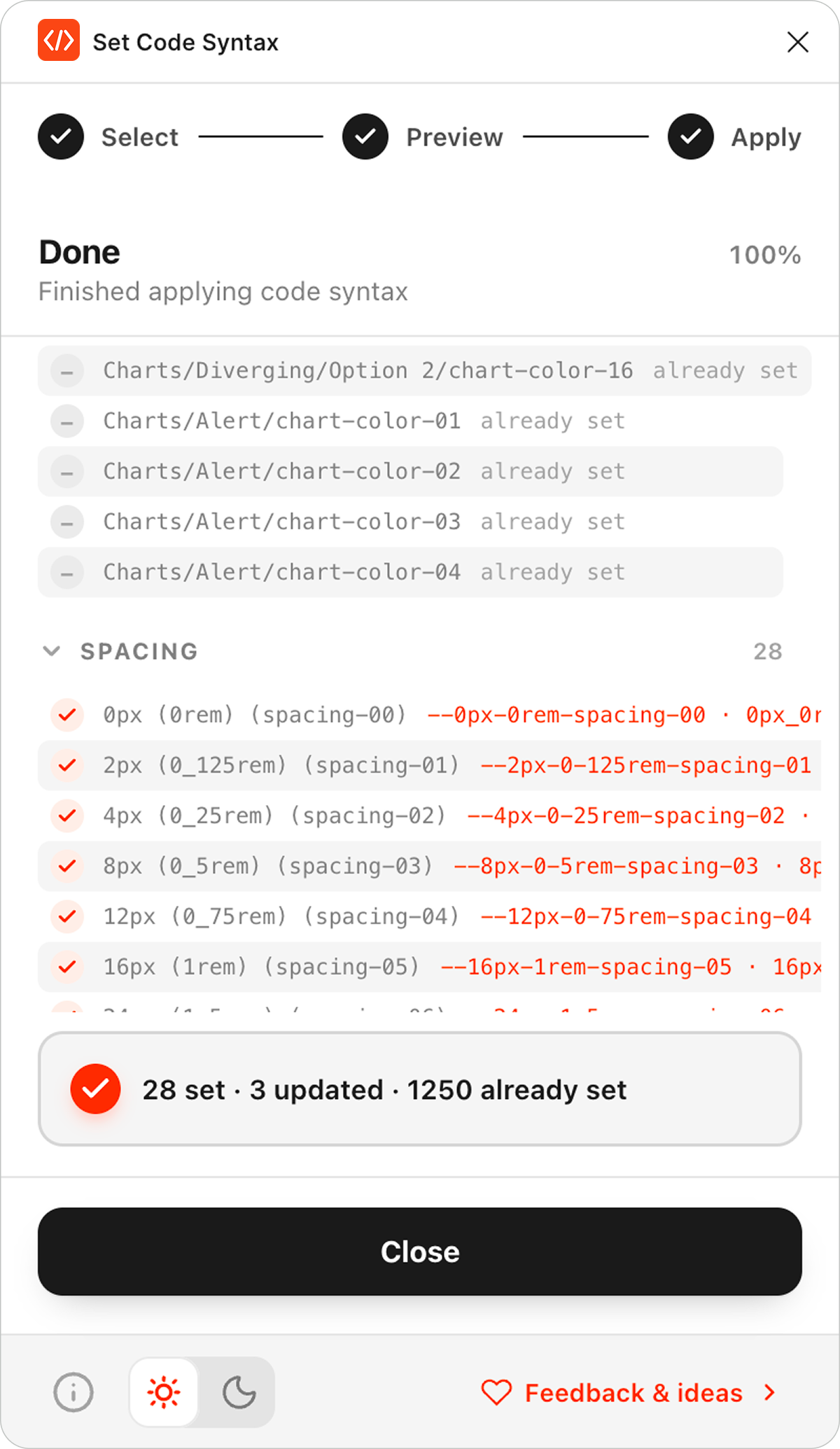
Apply code syntax to the selected collections. Visual progress keeps the update visible while entries are created or updated.
Generate syntax for every platform
Generate code syntax using CSS custom properties for Web, snake_case for Android and camelCase for iOS. Spaces and unsupported characters are converted automatically during generation.
- Text/Default/Default
--text-default-default - Color/Surface/Primary
--color-surface-primary - Radius/Control
--radius-control - Family/Sans
--family-sans
Everything in one workflow
Generate, review and apply platform-specific code syntax directly inside Figma while working with Color, Number, String and Boolean variables.
- 01Web, Android and iOS output
- 02Color, Number, String and Boolean variables
- 03Collection selection
- 04Variable type filtering
- 05Preview before applying
- 06Boolean review & editing
- 07Automatic syntax conversion
- 08Visual progress feedback
Keep variables ready for implementation
Keep Figma Variables, design tokens and platform naming conventions aligned by generating consistent implementation-ready Code Syntax directly inside Figma.
For designers
Generate and review code syntax without leaving Figma.
For developers
Inspect predictable platform-specific syntax in Dev Mode.
For design systems
Maintain consistent naming conventions across collections and platforms.
Built for teams working with variables
For teams maintaining Figma Variables, design tokens and shared implementation conventions.
- Design system designers
- Product designers
- Design engineers
- Front-end developers
- Teams using Dev Mode
Prepare your variables for development
Generate, review and apply platform-specific Code Syntax directly inside Figma.